

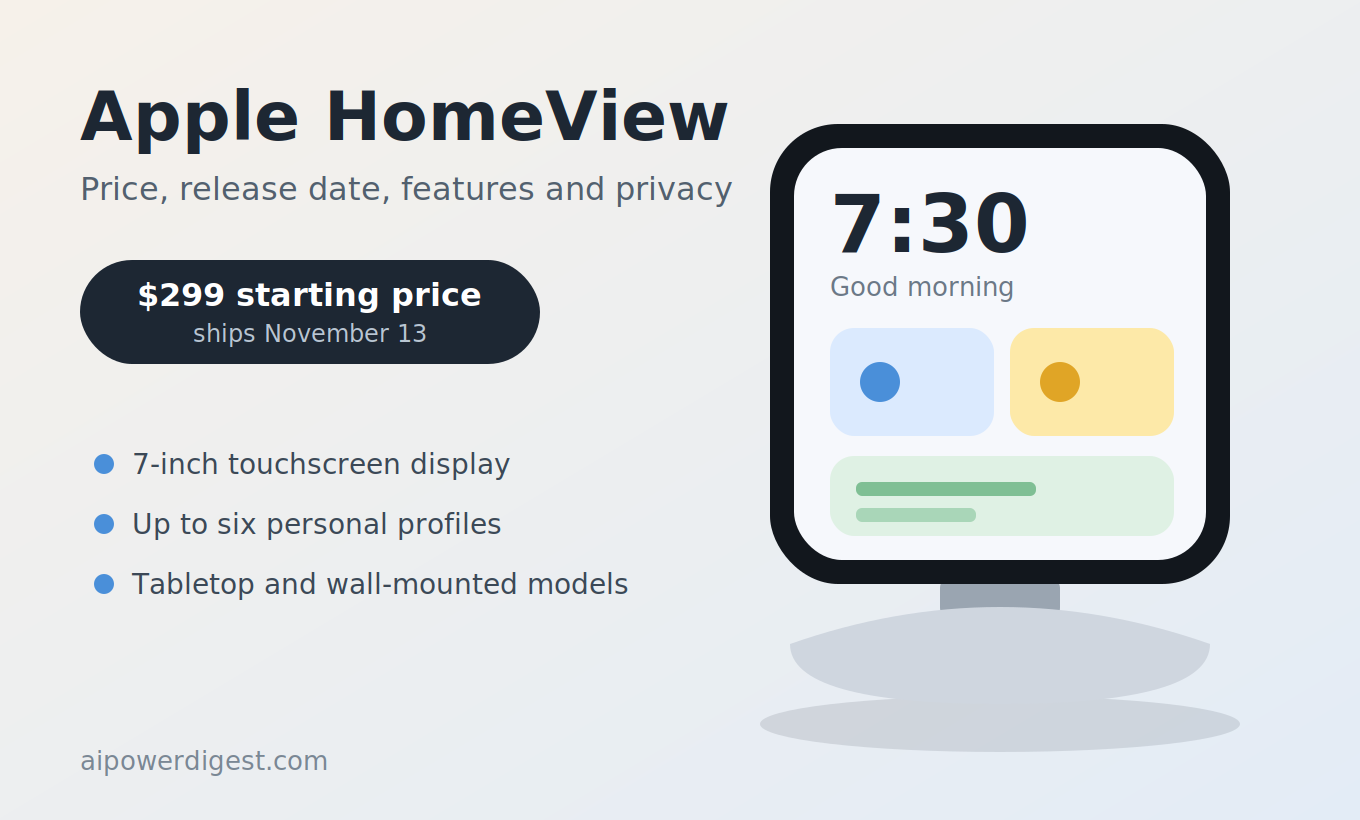
Apple HomeView is Apple’s first dedicated smart-home display, announced on October 13, 2026 with a $299 starting price and a November 13 release date. It pairs a 7-inch touchscreen, a camera, and Apple’s new Siri AI in a device meant to sit on a kitchen counter, a nightstand, or a wall. Because the hardware is brand new and hands-on reviews have not been published yet, this guide sticks to what Apple and the first wave of reporting have confirmed, flags what is still unknown, and offers a practical way to decide whether the device fits your home.
This article is for general informational purposes only. Specifications, prices, and availability come from Apple’s announcement and the news coverage linked below, and they can change. It is not a purchase recommendation, and no independent testing of the product had been published at the time of writing. For more explainers on how AI is showing up in everyday devices, see AI Power Digest.
What Is Apple HomeView?
Apple describes Apple HomeView as a device designed to be central to the home and personal to everyone in it, bringing entertainment, communication, and smart home management together in one place. In its official announcement, Apple says the device is powered by Apple Intelligence with Siri AI and built with privacy and security at its core.
The company’s senior vice president of Worldwide Marketing, Greg Joswiak, said the device should feel “completely personal to each user” even though everyone in the home shares it. That idea, a shared device that behaves differently for each person, is the central design goal behind the product.
Where It Fits in Apple’s Lineup
Until now, Apple’s home products centered on the HomePod speakers, which focus on music, Siri voice control, and smart home commands, and on the Apple TV set-top box. Macworld describes Apple HomeView as a different kind of device: unlike a HomePod with a screen added, it is designed around visual interaction as well as voice control. It adds a touchscreen, a camera, personalized screens for each person, and deeper integration with Apple apps and services.
A Notable Moment for Apple
CNBC reported that the launch was the first product launch outside of iPhones for Apple CEO John Ternus since he took over from Tim Cook at the start of September. The same event introduced a new Apple TV 4K and a new HomePod mini, so the announcement is as much about Apple’s broader home strategy as about a single gadget.
Apple HomeView Release Date and Availability
Apple HomeView was announced on Tuesday, October 13, 2026, during Apple’s “Welcome home” launch. Pre-orders opened the same day, and the device goes on sale on Friday, November 13.
Where You Can Buy It
According to launch coverage, pre-orders opened in the United States, United Kingdom, Canada, Australia, New Zealand, and India, with all of those countries receiving the device on November 13. One outlet reported that Singapore pre-orders open on October 15 and that South Africa will be served through authorized resellers. Apple’s own online store and the Apple Store app are the primary channels, and 9to5Mac reported that the devices are also available to pre-order through Amazon.
The European Union Gap
One notable limitation: eCoustics reported that Apple HomeView will not initially be sold in the European Union because of restrictions on Siri AI availability there. If you live in the EU, check Apple’s regional pages for updates rather than assuming a later date.
The Full Home Lineup at a Glance
| Product | Price (US) | Availability |
|---|---|---|
| Apple HomeView (tabletop) | $299 | November 13 |
| Apple HomeView (wall-mounted) | $299 | November 13 |
| HomePod mini 2 | $149 | October 30 |
| Apple TV 4K (4th generation) | $299 | November 13 |
| Apple Home Collection accessories | Varies | From December, per launch coverage |
Apple HomeView Price and What You Actually Pay
The headline price is $299 in the United States and £299 in the United Kingdom, and both versions cost the same. That matters because the wall-mounted model does not come with the speaker base, yet there is no discount for the base-free version.
The Wall-Mount Hardware Cost
MacRumors reports that most buyers choosing the wall-mounted model will need mounting hardware sold separately, starting at about $60. The three mounting options listed in launch coverage are:
| Mount | Price | Notes |
|---|---|---|
| Power Mount USB-C Wall Connector | From $59.95 | Entry-level option |
| Power Mount AC Wired | From $79.95 | Uses in-wall power; Apple recommends a licensed electrician and is partnering with ADT for installation |
| Power Mount PoE Wired | $129.95 | Requires Power over Ethernet wiring; expected in early 2027 |
The MacRumors breakdown of the wall-mount options notes that wall-mounted buyers are effectively paying more for less hardware, since they give up the speaker base and add mounting costs. Reviews will be needed to compare the sound.
Thinking About Total Cost
If you plan to build a larger Apple home setup, costs add up quickly. eCoustics calculated that four HomePod mini 2 speakers plus the new Apple TV 4K would total $895 before buying a television. For a single Apple HomeView, a reasonable budget includes the device, any wall-mount hardware, installation if needed, and any accessories you want to connect.
Apple HomeView Specs and Design
The design leans on a familiar Apple look, and several reviewers compared it to an enlarged Apple Watch. Here is what has been confirmed so far.
| Feature | What is reported |
|---|---|
| Display | 7-inch square Liquid Retina display with True Tone |
| Brightness | Up to 500 nits, dimming to 0.3 nits |
| Chip | Apple A18 |
| Camera | Built-in camera for FaceTime with Center Stage |
| Controls | No buttons; touchscreen and voice only |
| Tabletop colors | Silver, Starlight, Rose Pink, Space Gray |
| Wall-mounted colors | Space Gray and Silver |
| Software | HomeView software, initially version 27.2 with Siri AI |
The Display
According to Engadget, the dimmest setting of 0.3 nits is the lowest brightness Apple has ever offered on any device, which matters for early mornings or a nightstand. The True Tone feature adjusts the display’s color to the room’s lighting, a feature Apple has used on other products.
The Chip and Why It Matters
CNBC reported that the device uses an Apple A18 chip. Engadget noted that the chip powers Siri AI and also provides the level of data security needed for an in-home device that handles a great deal of personal information. As with any chip-related claim from a manufacturer, independent testing will be the real measure of performance.
Two Physical Versions
The tabletop model, per 9to5Mac, has a domed speaker base and a tilting stainless steel hinge. The wall-mounted model drops the base but is otherwise functionally similar. Engadget noted that the device has no physical buttons, so the touchscreen and your voice are the two ways to interact with it.
What Can Apple HomeView Do?
The feature list is broad, but most of it falls into a few categories.
Personalized Profiles for Up to Six People
Apple says Apple HomeView recognizes up to six people and delivers a personalized experience for each one. According to 9to5Mac, each person gets their own Home Screen with apps and widgets. CNBC reported that the device shows information from Messages, Photos, Calendar, and Reminders based on who is using it, powered by Apple Intelligence.
Entertainment
Apple lists Apple Music with animated album art and lyrics, Apple Podcasts, Apple News, Apple TV, and compatible third-party audio and video apps among the supported experiences. A Handoff feature lets you continue music from your iPhone by placing the phone in front of the display, which Apple frames as a way to pick up a song you were playing in the car or on a walk.
Cooking
MacRumors highlighted a kitchen-focused feature that Apple calls the “perfect sous chef.” The device can convert recipes from the web into step-by-step instructions with hands-free timer controls and ingredient tracking. Whether the feature works well in a real kitchen is something hands-on reviews will need to confirm.
Communication
The device supports FaceTime with Center Stage, which keeps people in frame as they move, and an Intercom feature for sending quick messages around the household. Engadget compared the video-calling setup to other smart displays, noting that it is built for catching up with friends and family where you can see them.
Smart Home Control
As a hub for Apple’s Home app, the device acts as a control center for connected accessories. AppleInsider framed it as turning the Home app into something closer to what dedicated home automation enthusiasts have enjoyed for years, though how deep that control goes will depend on real-world testing.
How Apps Work
The device does not have an App Store. According to Engadget, it works somewhat like CarPlay in that you do not download apps to it, but it shows your recently used apps in its menu for easy access. AppleInsider, citing Bloomberg’s Mark Gurman before the launch, said it would work with a limited selection of Apple applications and lack the ability to add more software. For people who want a wide range of third-party apps on a smart display, this is an important limitation to understand.
Siri AI on Apple HomeView
Much of the marketing for Apple HomeView centers on Siri AI. CNBC reported that the device was built to showcase new Siri AI abilities and that Apple says it can answer a broad range of questions. Macworld reports that the initial Siri AI software is identified as HomeView software version 27.2.
What Is Still Unclear
Apple has described the features at a high level, but several practical questions remain until reviewers test the device: how quickly Siri AI responds, how reliable it is with household commands, how it handles multiple people talking, and how well it works in noisy rooms. It is also unclear how often the software will be updated and which new capabilities may arrive later.
Siri AI Beyond the Display
A separate report from The Mac Observer notes that older Apple TV 4K models can try Siri AI in a tvOS 27.2 beta, which suggests Apple intends the assistant to span the home lineup rather than live only on one device. If you already own an Apple TV, that is worth noting before deciding what you need to buy.
Apple HomeView Privacy and Security
A camera, a microphone, and face recognition in a shared room raise legitimate privacy questions, and Apple is emphasizing privacy as a core feature of Apple HomeView.
What Apple and Early Coverage Say
- Apple states that the device is built with privacy and security at its core.
- CNBC reported that Apple says its Apple Home Collection accessories encrypt data so that only the user and people they share with can see it.
- Engadget reported that if you walk away from the device, someone who tries to see what you were looking at will get a lock screen.
- The A18 chip is described as providing the level of data security needed for an in-home device that uses so much personal information.
Questions to Ask Yourself
Marketing statements are a starting point, not proof. Before placing a camera-equipped display in a bedroom or kitchen, consider the following:
- Where will it live? A device on a kitchen counter has a different privacy profile than one on a nightstand.
- Who will be recognized? Face recognition for up to six people means deciding which household members enroll and what each profile can see.
- What data is shown on screen? Messages, Photos, Calendar, and Reminders can appear based on who is using the device, so think about what guests might see.
- Can the camera be disabled or covered? Look for details on camera controls and indicators in Apple’s documentation and in reviews.
- How is data stored and shared? Read Apple’s privacy documentation for the product and any related accessories.
Independent security researchers typically examine new connected devices after launch, so it is reasonable to watch for their findings in the months ahead.
Tabletop vs. Wall-Mounted Apple HomeView
Choosing between the two versions of Apple HomeView is one of the more consequential decisions, because the trade-offs are real.
Tabletop Version
The tabletop model includes the domed speaker base and tilting hinge, which makes it easy to place on a counter or table and adjust the viewing angle. It is the simpler option for people who want a plug-in-and-go setup.
Wall-Mounted Version
The wall-mounted model is available in Space Gray and Silver and is designed to hang on the wall. RedShark News reported that the wall-mounted model’s audio quality takes a hit, which is consistent with the absence of the speaker base. Mounting hardware is sold separately, and the hardwired options may require professional installation.
How to Decide
| Question | Leans toward tabletop | Leans toward wall-mounted |
|---|---|---|
| Do you want better built-in sound? | Yes | Less important |
| Do you want a clean, cable-free look? | Less important | Yes |
| Are you comfortable with installation? | Not needed | Helpful, especially for hardwired options |
| Is counter space limited? | Maybe | Yes |
| Do you want to minimize total cost? | Often yes | Mounting hardware adds cost |
How Apple HomeView Compares With Other Smart Displays
Macworld describes Apple HomeView at $299 as a premium alternative to smart displays from Amazon and Google. Without hands-on testing, a precise comparison would be speculation, but you can compare the categories that matter most.
- Ecosystem fit. If your household is built around iPhones, iPads, and the Apple Home app, a device that integrates natively may feel more natural. If you use Android phones or other ecosystems, the benefits may be smaller.
- App flexibility. Because the device does not have an App Store, anyone who wants a wide selection of third-party apps on their display should weigh that limitation.
- Price. At $299 before accessories, it sits at the higher end of the smart display category, according to Macworld’s characterization.
- Privacy approach. Apple is making privacy a central selling point, so compare each company’s documentation for camera, microphone, and data handling.
- Sound. The tabletop version has a speaker base, while the wall-mounted version trades audio for a cleaner look.
When independent reviews arrive, look for direct comparisons on sound quality, assistant accuracy, video calling, and smart home reliability.
Apple HomeView and the Rest of Apple’s Home Lineup
Apple HomeView arrived alongside several other products, and they are designed to work together.
HomePod mini 2
The new HomePod mini 2 is priced at $149 and goes on sale October 30 in pink, green, blue, white, and midnight, according to The Apple Post. It arrives two weeks before the display, so it is the first product from the launch that customers can actually get their hands on.
Apple TV 4K
The fourth-generation Apple TV 4K costs $299 and ships November 13. eCoustics reports that it adds Siri AI, an A19 chip, and the ability to use four HomePod speakers for surround sound, though the publication also noted that the $299 price is a tough sell for some buyers.
Apple Home Collection
Apple also announced a collection of connected home accessories developed with LG Electronics and Schneider Electric, arriving from December according to launch coverage. Schneider also supplies the wall-mount hardware for the display.
A Coordinated Strategy
Taken together, the products suggest that Apple wants a home with multiple Siri AI touchpoints: a display in the kitchen, speakers in other rooms, and an Apple TV in the living room. Whether customers want or need that many devices is a separate question, and for many households a single product may be enough.
Who Should Consider Apple HomeView?
This is not a recommendation, but a framework for thinking about fit.
It May Be a Strong Fit If
- You are already invested in Apple devices and the Home app
- You want a shared display for family calendars, reminders, and photos
- You value privacy features and are comfortable with face recognition at home
- You cook often and would use hands-free recipes and timers
- You want a single control point for smart home accessories
You May Want to Wait or Look Elsewhere If
- Your household mostly uses Android devices or non-Apple smart home products
- You want to install a wide range of third-party apps on the display
- You are sensitive about cameras in shared rooms
- You live in a region where Siri AI is not yet available, such as the European Union
- You prefer to wait for independent reviews before buying a first-generation product
First-Generation Considerations
As with any new product category, early adopters take on some uncertainty. Software can change quickly, features can be added or adjusted after launch, and independent testing may reveal strengths or weaknesses that marketing does not. Waiting for reviews is a common and reasonable approach.
Questions to Ask Before Pre-Ordering Apple HomeView
A short checklist can help you decide whether to order now or wait.
- Is it available in my country? Check the pre-order countries and the European Union limitation.
- Which version do I need? Decide between the speaker-base model and the wall-mounted version.
- What is my total budget? Include mounts, installation, and any accessories.
- Does it work with my existing devices? Confirm compatibility with your iPhone, Apple Home accessories, and other gear.
- Am I comfortable with the privacy trade-offs? Review Apple’s documentation about camera, microphone, and face recognition.
- Can I wait for reviews? The device ships November 13, so independent testing should be available around launch.
Name Confusion: Other “HomeView” Apps
One practical caution: the name HomeView is not unique. App Store searches turn up unrelated apps with similar names from other developers, including a housing-conditions app from a company called iOpt, a home security camera app from Kingstate Electronics, and an IP camera app called My HomeView from RDI Technology. Those apps have nothing to do with Apple’s new device.
If you are searching for support, accessories, or software, make sure you are looking at Apple’s official pages for Apple HomeView. Be wary of third-party listings, sponsored search results, or social media posts that use the name to sell accessories or services. The device itself does not use an App Store, so any site telling you to download a “HomeView app” for it should be treated with suspicion.
What to Watch Next for Apple HomeView
Several milestones are coming over the next few weeks and months.
- October 15: Singapore pre-orders are scheduled to open, according to launch coverage.
- October 30: HomePod mini 2 begins arriving.
- November 13: Apple HomeView and the new Apple TV 4K go on sale, and reviews are likely to follow.
- December: The Apple Home Collection accessories are expected to arrive.
- Early 2027: The PoE wired wall-mount option is listed for availability.
- European availability: Watch for any update on Siri AI and Apple HomeView in the EU.
None of this is a prediction about performance or sales, only a calendar of checkpoints.
Frequently Asked Questions About Apple HomeView
What is Apple HomeView? Apple HomeView is Apple’s first dedicated smart-home display, with a 7-inch Liquid Retina touchscreen, a camera, speakers, and Siri AI, designed to serve as an entertainment, communication, and smart home control center.
How much does Apple HomeView cost? It costs $299 in the United States and £299 in the United Kingdom. The tabletop and wall-mounted versions are priced the same, but wall-mount hardware is sold separately, starting at about $60.
When is the Apple HomeView release date? Apple announced it on October 13, 2026, and it goes on sale November 13, with pre-orders open now in the United States, United Kingdom, Canada, Australia, New Zealand, and India.
What chip does Apple HomeView use? Reports say it uses an Apple A18 chip, which powers Siri AI and supports on-device security for personal information.
Does Apple HomeView have an App Store? No. According to Engadget and AppleInsider, it works with a limited selection of Apple apps and shows recently used apps in its menu rather than letting you download software.
Can Apple HomeView recognize different people? Yes. Apple says it recognizes up to six people, and each person gets a personalized Home Screen with their own apps and widgets.
Is Apple HomeView available in Europe? Not initially. eCoustics reported that it will not launch in the European Union at first because of restrictions on Siri AI availability.
What is the difference between the tabletop and wall-mounted Apple HomeView? The tabletop model has a domed speaker base and a tilting hinge, while the wall-mounted model drops the base and needs separately purchased mounting hardware. Reporting suggests the wall-mounted version has weaker audio.
Should I buy Apple HomeView now or wait for reviews? That depends on your household and risk tolerance. Pre-ordering secures early delivery, while waiting lets you read independent reviews of sound, Siri AI accuracy, and privacy features before spending $299 or more.
Conclusion
Apple HomeView is a significant addition to Apple’s home lineup: a $299 touchscreen hub that pairs a new chip, a camera, and Siri AI with personalized screens for up to six people. The confirmed details point to a polished, privacy-focused device, but also to real trade-offs, including no App Store, a weaker-sounding wall-mounted version, extra costs for mounts, and no initial launch in the European Union. Because reviews are still weeks away, the most practical approach is to match the device to your household, budget, and comfort with a camera at home, then decide whether to order early or wait for independent testing. For more explainers on how AI is reshaping the devices in your home, keep an eye on AI Power Digest.
This article summarizes publicly reported information about a newly announced product for general informational purposes only. Prices, specifications, and availability may change, and no independent testing had been published when it was written. Verify current details on Apple’s official website before making a purchase.
 Ghulam Fareed